
Android Plurals XML for Developers: 7 Rules, Examples & CI
Android Plurals XML for Developers: 7 Rules, Examples & CI

Android plural XML, the <plurals> element, defines alternate strings for numeric quantities so your UI reads correctly no matter what number you’re displaying. You define variants like one and other in strings.xml, then pull the right one at runtime with getQuantityString() in View-based code or pluralStringResource() in Jetpack Compose. Android picks the variant automatically based on the device locale’s plural rules. The one rule you can’t skip: always include one and other, and pass the count as a formatting argument whenever the string contains %d.
TL;DR:
- Android requires always including a
oneandothervariant in your plurals XML, with the count passed twice to avoid runtime errors.- Plural rules differ significantly across languages; testing must cover counts like 0, 1, and larger values in multiple locales to prevent bugs.
- Failing to match the correct quantity keyword to language-specific rules, especially in non-English locales, can result in incorrect string display or crashes.
- Accurate plural handling relies on complete resource files with all necessary variants and proper escaping, validated automatically before release.
- Relying solely on English logic and skipping extensive testing across locales often causes errors months after release; automate validation to catch issues early.
Table of Contents
- What Does Plurals XML Syntax Look Like?
- How Do You Load Plural Strings in Code?
- How Does Android Pick a Plural Variant?
- Best Practices for Writing Plural Resources
- How Do You Test Plural Strings Across Locales?
- What Developers Get Wrong About Plural Strings
- Get Your Android Plurals Validated and Packaged Automatically
- Sources
- FAQ
What Does Plurals XML Syntax Look Like?
A <plurals> block lives inside your standard <resources> file, right alongside your <string> entries. Each variant is an <item> tagged with a quantity attribute, and Android matches that attribute against six possible keywords defined by the Unicode CLDR plural rules: zero, one, two, few, many, and other. English only ever uses two of them in practice, but the framework supports all six because plenty of languages need more granularity.
Here’s a minimal, correct example for res/values/strings.xml:
<resources>
    <plurals name="items_found">
        <item quantity="one">%d item found</item>
        <item quantity="other">%d items found</item>
    </plurals>
</resources>
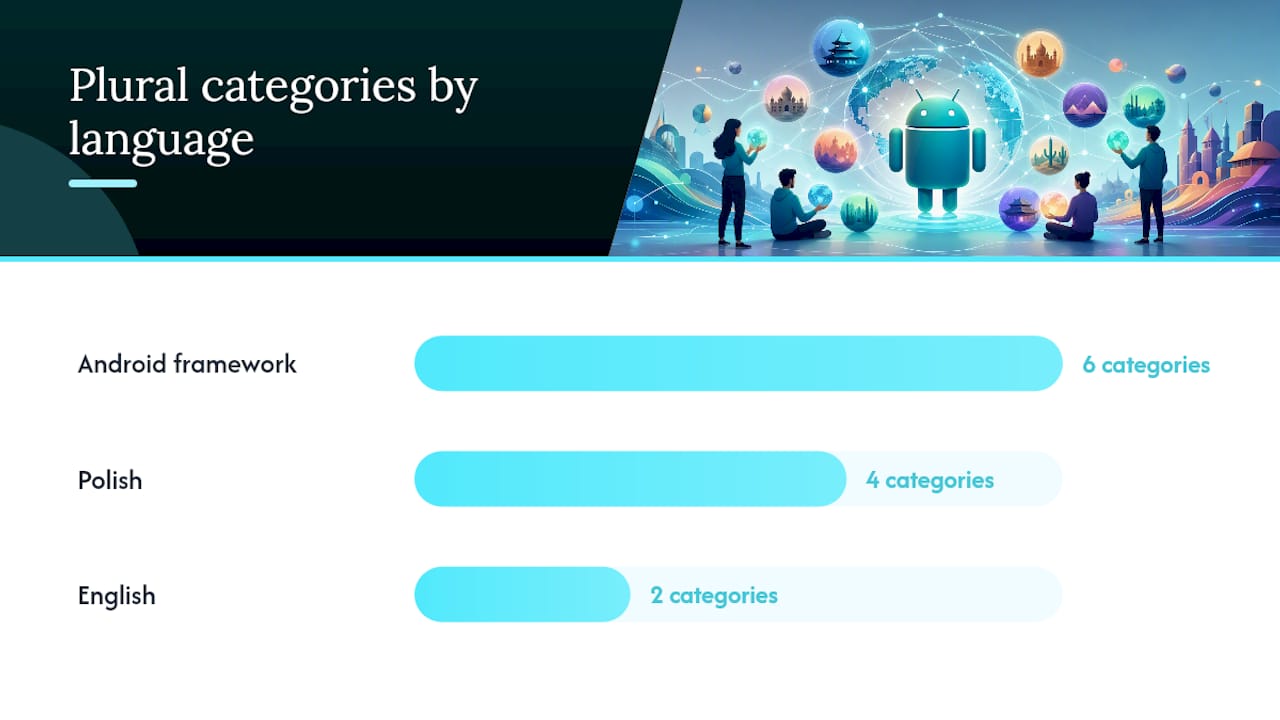
English only needs one and other. Polish, on the other hand, splits quantities into four buckets, and a res/values-pl/strings.xml file might look like this:
<resources>
    <plurals name="items_found">
        <item quantity="one">%d znaleziony element</item>
        <item quantity="few">%d znalezione elementy</item>
        <item quantity="many">%d znalezionych elementów</item>
        <item quantity="other">%d znalezionego elementu</item>
    </plurals>
</resources>
A few formatting details trip people up:
- Apostrophes and quotation marks inside plural strings need escaping, just like regular string resources: use
\'for an apostrophe or wrap the whole value in double quotes. - If your string contains a
%sign that isn’t a format specifier, escape it as%%. - If a string has no numeric placeholder at all but the “quantity” is used purely for phrasing (a rare case), you can set
formatted="false"on the<plurals>tag, but this is uncommon since most plural strings do reference the count. - Keep phrasing neutral where you can. “No items” as a
zerocase is often simpler and safer to translate than trying to force awkward grammar for every language.
The official string resources guide is worth bookmarking here, since it lists the exact quantity keywords Android recognizes and confirms there’s no seventh option waiting to surprise you.
How Do You Load Plural Strings in Code?
Retrieval differs slightly depending on whether you’re working with the classic View system or Jetpack Compose, but the underlying logic is identical: pass a count, get back the correctly pluralized string.
In View-based code, you call getQuantityString() on your Resources object:
val count = 5
val message = resources.getQuantityString(R.plurals.items_found, count, count)
textView.text = message
Notice the count appears twice. The second parameter selects which quantity variant to use; the third (and any subsequent arguments) fills in the %d placeholder inside that string. Skip the third argument when your string doesn’t have a %d, but you still need the second argument to pick the right variant.
In Jetpack Compose, the equivalent is pluralStringResource(), callable directly inside a composable function:
@Composable
fun ItemCountText(count: Int) {
    Text(text = pluralStringResource(R.plurals.items_found, count, count))
}
Same pattern: count first to select the variant, count again to fill the placeholder.
A couple of edge cases worth knowing:
getQuantityText()returns aCharSequenceinstead of a formattedString, and it skips the formatting step entirely. Use it when you need the raw styled text, not a filled-in template.- If your plural string has zero placeholders (say, just “No results” versus “Some results”), you still pass the count as the second argument to select the variant, but you can omit any format arguments after that.
Passing the count as both the selector and the format argument is the single most common source of runtime crashes with plurals, because it’s easy to forget the second copy when refactoring.
How Does Android Pick a Plural Variant?
Android doesn’t guess based on English math. It relies on ICU and CLDR plural rules baked into the platform, and those rules vary dramatically by language. According to the Android platform source, plural selection runs through PluralRules, which maps a given count to one of the six quantity keywords for that specific locale, then getQuantityString() formats the resulting string using locale-aware String.format.
CLDR plural categories aren’t universal. English uses two categories (
one,other). Russian uses three (one,few,manyplusotherfor decimals). Chinese, Japanese, and Korean use just one category (other) for every number, since those languages don’t grammatically inflect for plurals at all.
That means a value of “1” doesn’t always trigger the one variant. In Russian, numbers ending in 1 (except 11) trigger one, numbers ending in 2 through 4 (except 12 through 14) trigger few, and most everything else falls into many. This is exactly why the Android developer documentation recommends embedding %d inside your one variant too, not just other. In some languages, “one” doesn’t mean the literal number 1.
Fallback behavior matters just as much as selection logic. If no locale-specific resource file matches the device’s language, Android falls back to the default res/values/ directory. And if a specific quantity keyword isn’t defined for the current locale (say, a translator only provided one and other for a language that technically supports few), the framework falls back to other rather than throwing an error. It only throws a NotFoundException if the plurals resource itself is missing entirely.
A few practical takeaways follow from this:
- Never hardcode assumptions about which keyword fires for a given number. Let the framework decide.
- Always ship a complete
one/otherpair in your defaultres/values/strings.xml, even if you plan to add more granular locale files later. - Test with more than English. A string that works flawlessly for count values of 0, 1, and 5 in English can still break in Arabic, which recognizes all six CLDR categories.
Best Practices for Writing Plural Resources
A little discipline in your strings.xml file saves hours of localization QA later. Use this as a working checklist before you commit a new plural resource:
- Always define
oneandother. These are the two categories every language needs at minimum, and Android requiresotheras the universal fallback. - Include
%din every variant that mentions a count, includingone. Translators may need it even where English doesn’t. - Don’t repurpose plurals for binary UI toggles. If you’re just switching between two fixed states (like “Enabled” and “Disabled”), that’s a job for a simple conditional string, not a
<plurals>block. - Match your format arguments to your format specifiers exactly. A string with
%1$d apples and %2$d orangesneeds two arguments passed in the right order, or you’ll get anIllegalFormatExceptionat runtime. - Group related plurals together and name them consistently, like
cart_items_countandcart_items_remaining, so translators and future maintainers can find them fast. - Give translators context. A one-line XML comment above the
<plurals>block explaining where the string appears (a notification badge, a button label, a toast) prevents mistranslations that only surface after release. - Default to neutral phrasing when a language’s plural rules feel unpredictable. “5 files” is often safer to localize than a sentence structure that assumes English grammar.
Pro Tip: Run a quick grep for getQuantityString and pluralStringResource calls across your codebase before a release, then check each one against its XML definition. Mismatched argument counts are one of the few localization bugs that only show up at runtime, not compile time.
How Do You Test Plural Strings Across Locales?
Plural bugs hide well because they only appear at specific count values, often in languages your QA team doesn’t read. Build unit or UI tests that explicitly exercise boundary counts, not just 0 and 1.
- Write instrumented tests that call
getQuantityString()with counts like 0, 1, 2, 5, 11, and 21, then assert against expected output strings for at least two locales. - Use a pseudo-locale build during development to catch missing quantity variants or placeholder mismatches before they reach translators.
- Build a small test matrix covering English (two categories), Polish or Russian (three to four categories), Arabic (all six categories), and Chinese (one category) to stress-test your plural logic across the real range of CLDR behavior.
- Add a CI step that scans
strings.xmlfiles for<plurals>blocks missing aothervariant, since that’s the one Android absolutely requires.
Pro Tip: If your team is shipping to a dozen locales without a dedicated localization engineer, an automated packaging and validation step, like the one Arkian runs, catches missing quantity variants before they ship rather than after a bug report from Warsaw.
What Developers Get Wrong About Plural Strings
Most guidance on Android plurals stops at “add one and other to your XML,” and that’s technically correct but practically incomplete. The bigger failure point isn’t the XML syntax. It’s assuming English plural logic maps cleanly onto every other language, which is exactly the mistake that produces broken Russian or Arabic strings six months after a feature ships fine in English.
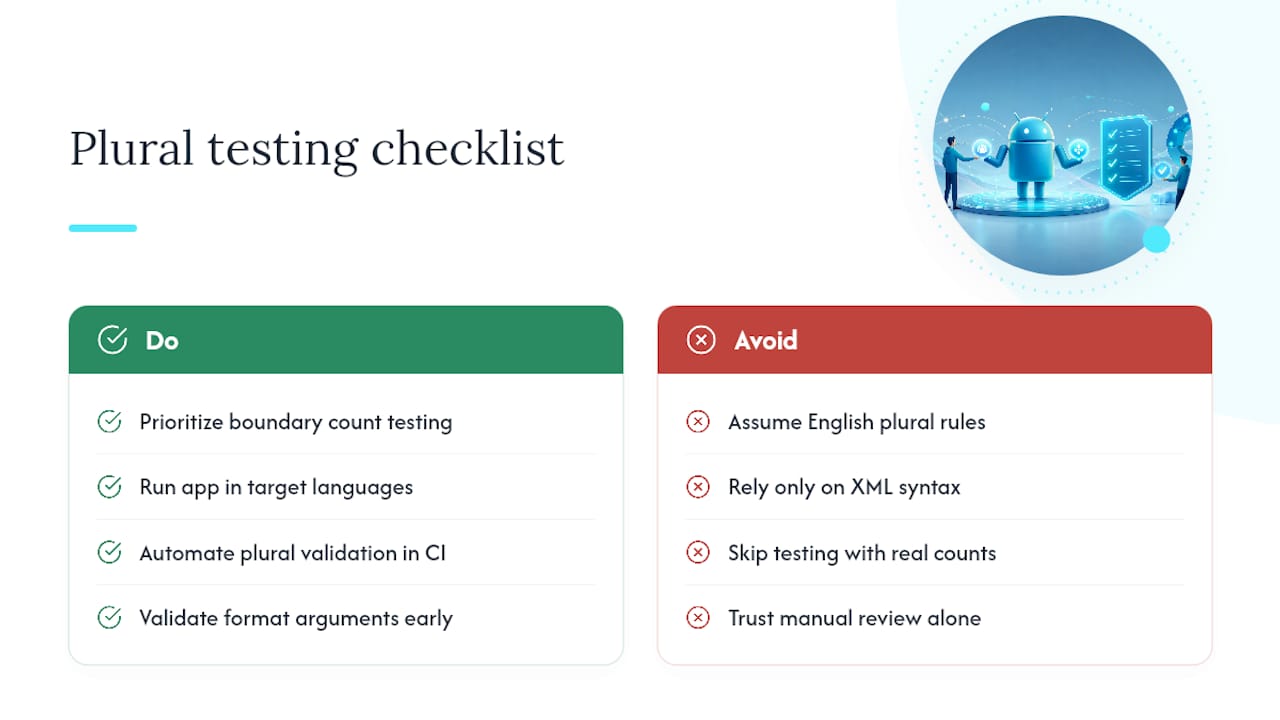
The conventional advice also underweights testing. Developers will unit test business logic obsessively and then never once run their app in Polish with a count of 22. That’s where plural bugs actually live, not in the XML file itself.
If you take one thing from this guide, prioritize the boundary count testing over perfecting your XML syntax. Correct syntax is table stakes. Catching a mismatched format argument before a translator delivers a string that crashes on %2$d is what actually protects a release. Automated validation closes that gap far more reliably than a manual review pass, especially for small teams without a dedicated localization engineer on staff.
Get Your Android Plurals Validated and Packaged Automatically
You can get a validated, delivery-ready res/values folder structure without touching a translation management system or granting anyone repository access. Every quantity variant your app needs can be checked for missing other fallbacks and mismatched %d placeholders, then packaged as locale-specific XML files ready to drop into your project.

That maps directly onto the QA gaps covered above: missing quantity keywords, unescaped apostrophes, and format arguments that don’t line up with their specifiers are exactly what automated validation can catch before a translator or a crash report does. Automated tools can handle the translation pass and structural packaging together, so you’re not exporting strings to one tool and reassembling folders by hand in another.
If you’re managing localization for a small team without a dedicated localization engineer, check out Arkian’s Android XML localization workflow and see whether it fits how your team ships releases.
Sources
- String resources | App architecture
- Resources.java (getQuantityString / getQuantityText implementation) | Android platform source
FAQ
Where Can I Find the AndroidManifest.xml File?
AndroidManifest.xml sits in the app/src/main/ directory of a standard Android Studio project, separate from your res/values/strings.xml files where plurals live.
How Do I Format Strings in Android?
Standard strings use %s or %d placeholders filled with getString() and format arguments, while plural strings use the same placeholders but require getQuantityString() or pluralStringResource() so the framework picks the correct quantity variant first.
What Is the Use of XML in Android?
XML defines an app’s layouts, resources, and configuration, including string and plural resources in res/values/, separating translatable text and UI structure from Kotlin or Java code.
How Do I View XML Files on Android?
Open XML resource files directly in Android Studio’s code editor, or inspect a compiled APK’s resources using tools like apktool or the Android Studio APK Analyzer.
Do I Need a Locale File for Every Plural Category?
No. You only need to define the categories a given language actually uses, since Android automatically falls back to other for any quantity keyword you don’t include, provided other itself is present.