
i18next JSON Structure for Small Teams: v4 Examples & Plural Fixes
i18next JSON Structure for Small Teams: v4 Examples & Plural Fixes

Use i18next JSON v4. It’s the current, CLDR-aligned format, and it handles pluralization, context, nesting, and arrays without extra plugins. It replaces older suffix conventions from i18next’s v1 through v3 formats with plural keys that map directly to how languages actually count things. The examples below show the exact shape to copy, plus the migration steps if you’re still on an older format.
TL;DR:
- i18next JSON v4 uses CLDR-aligned plural suffixes, requiring six categories for languages with complex pluralization rules, unlike previous versions with simpler suffixes.
- Organizing translations by namespaces, such as feature-based or functional splits, improves manageability and reduces errors in large projects beyond 100 strings.
- Proper use of
$t()nesting ensures translation consistency and simplifies editing, while limiting key depth to two or three levels avoids maintenance issues.- Ensuring all plural keys include
_otherprevents fallback errors, especially for languages with more than two plural forms like Arabic or Polish.- Automated tools like Arkian can validate key parity, plural coverage, and packaging of JSON files, streamlining the localization process for small teams.
Table of Contents
- What Does an i18next JSON v4 File Actually Look Like?
- How Do Plurals Work in i18next JSON v4?
- How Should You Organize Namespaces and Files?
- Interpolation, Nesting, and Context: What Trips People Up?
- What Changes When You Migrate to v4?
- Are JSON Translation Files a Security Risk?
- What Are the Most Common JSON Structure Mistakes?
- Arkian’s Take on Keeping JSON Localization Sane
- Skip the Manual Packaging Step
- Sources
- FAQ
What Does an i18next JSON v4 File Actually Look Like?
The v4 structure organizes translations as nested JSON objects, where each key can hold a plain string, a nested object, an array, or a plural group. The official i18next JSON format documentation lays out the canonical shape, and it’s worth keeping open in a tab while you build your first namespace.
Here’s a representative example covering the shapes you’ll actually use:
{
  "welcome": "Welcome, {{name}}!",
  "nav": {
    "home": "Home",
    "settings": "Settings"
  },
  "cart_zero": "Your cart is empty",
  "cart_one": "{{count}} item in your cart",
  "cart_other": "{{count}} items in your cart",
  "terms": {
    "list": ["Free plan", "Pro plan", "Studio plan"]
  },
  "footer": "Need help? See $t(nav.settings) for options."
}
Every value in that file falls into one of four shapes:
- Plain strings for one-off UI text like button labels or headings.
- Nested objects for grouping related keys, such as
nav.homeandnav.settings, so you’re not fighting naming collisions. - Arrays for ordered lists that don’t need individual translation logic, like plan names or menu items rendered in a loop.
- Plural key groups (
cart_zero,cart_one,cart_other) for anything tied to a count.
The $t() syntax deserves special attention because it’s the part most tutorials skip. Writing $t(nav.settings) inside another string tells i18next to resolve that nested key at render time, so your footer text and your navigation label stay in sync instead of drifting apart after a copy edit. This matters more than it sounds. Anyone who has maintained a translation file with the word “Settings” duplicated four different ways across four different keys knows the pain $t() nesting solves.
Object values work best for structured data you’ll map over in code (pricing tiers, feature lists), while plain nested keys work best for anything a human translator needs to edit directly.
How Do Plurals Work in i18next JSON v4?
Version 4 replaced the old _plural suffix with six CLDR category suffixes: _zero, _one, _two, _few, _many, and _other. Not every language uses all six. English only needs _one and _other, while Arabic uses the full set because Arabic grammar distinguishes zero, one, two, a “few” (3 to 10), a “many” (11 to 99), and everything else.
{
  "apple_one": "{{count}} apple",
  "apple_other": "{{count}} apples"
}
{
  "apple_zero": "لا يوجد تفاح",
  "apple_one": "تفاحة واحدة",
  "apple_two": "تفاحتان",
  "apple_few": "{{count}} تفاحات",
  "apple_many": "{{count}} تفاحة",
  "apple_other": "{{count}} تفاحة"
}
Call either one the same way in your code: i18next.t('apple', { count: 3 }). Internally, i18next resolves the right suffix using CLDR’s plural rule set, the same categorization logic that underlies JavaScript’s Intl.PluralRules API.
Pro Tip: If a language-specific suffix is missing, i18next falls back to _other. That fallback silently hides bugs where a translator forgot a form, so it’s worth spot-checking plural coverage before shipping a new locale rather than trusting the fallback to catch it for you.
Weblate’s documentation specifically recommends v4 over earlier formats because it’s the only version that maps cleanly to CLDR, which matters the moment you support a language with more than two plural forms.
How Should You Organize Namespaces and Files?
Small projects can often get away with one JSON file per locale. The moment you’re past a handful of screens, though, a single en.json file turns into an 800-line scroll fest that nobody wants to touch. Splitting by namespace fixes that.
Three patterns cover most real projects:
- Single file per locale — fine for prototypes or apps under roughly 100 strings; everything lives in
en/translation.json. - Functional namespaces — split into
common.json,validation.json, andglossary.json, so shared UI text and form-error messages don’t clutter feature-specific files. - Feature-based namespaces — split by product area (
checkout.json,onboarding.json,settings.json), which scales better once multiple teams own different parts of the app.
Configuring namespaces is a few lines in your init call:
i18next.init({
  ns: ['common', 'checkout', 'settings'],
  defaultNS: 'common',
  backend: {
    loadPath: '/locales/{{lng}}/{{ns}}.json'
  }
});
With a backend plugin, i18next lazy-loads each namespace on demand instead of pulling every JSON file on first paint, which keeps initial load size down as your string count grows. The i18next namespaces documentation covers the loading options in more detail.
Pro Tip: Cap key nesting at two or three levels deep. A key like settings.account.profile.avatar.upload.error is technically valid JSON, but it’s miserable to search for in a large file and painful for translators working outside your codebase.
Interpolation, Nesting, and Context: What Trips People Up?
Two curly braces means “escape this value.” Three means “don’t.” {{value}} HTML-escapes whatever you pass in, which is what you want for user-submitted content. {{- value}} skips escaping, which you’d only use for trusted markup you control yourself.
{
  "greeting": "Hello, {{name}}!",
  "richGreeting": "Hello, <strong>{{- name}}</strong>!"
}
Context suffixes work almost exactly like plural suffixes, just triggered by a different option. A key like friend_male and friend_female gets selected with i18next.t('friend', { context: 'male' }).
- Combine context and count by chaining suffixes:
friend_male_one,friend_male_other. - Always pass interpolation values as an options object, never by string concatenation, or you’ll break escaping and any future locale swap.
- Watch for missing combinations. If you define
friend_male_onebut forgetfriend_female_one, i18next falls back to the base key or_other, which can quietly ship the wrong pronoun.
Pro Tip: When context and plurals stack, write out every combination you actually need in a spreadsheet before touching the JSON file. It’s tedious, but it catches missing forms faster than finding them in a bug report from a French tester three weeks later.
What Changes When You Migrate to v4?
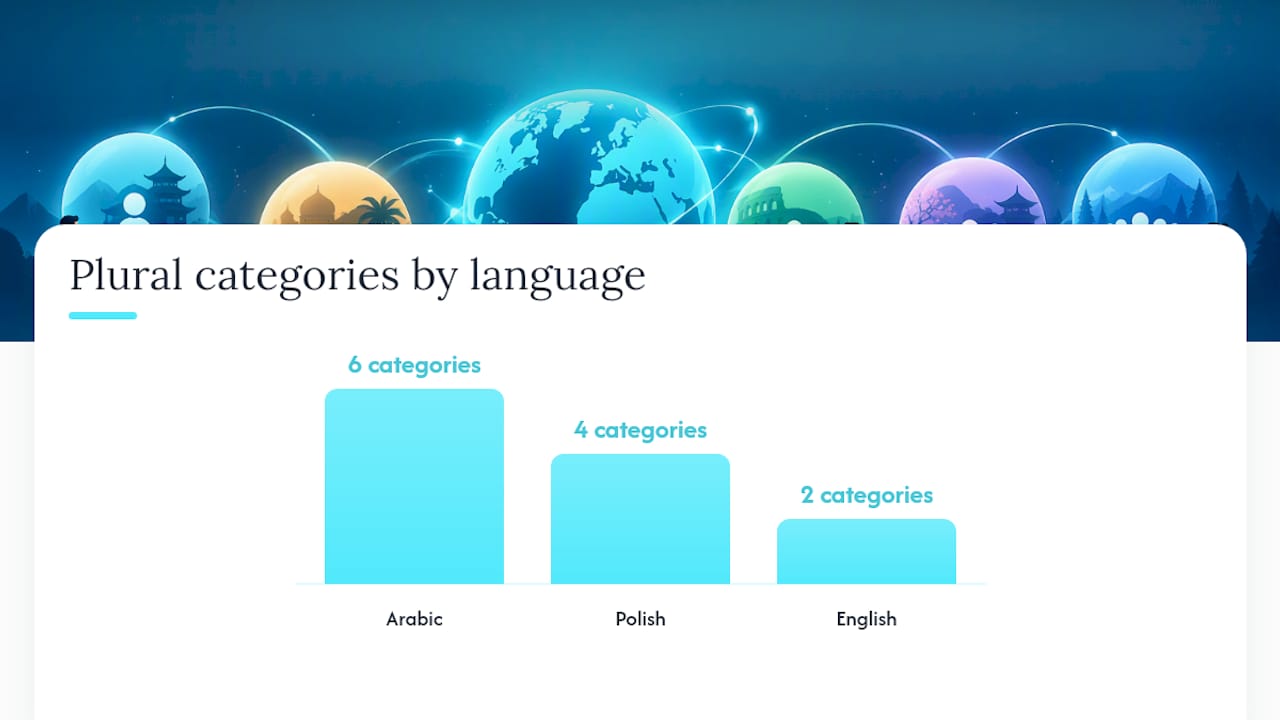
The biggest breaking change is plural suffix naming. Versions 1 through 3 used simpler suffixes (in some cases just _plural), which don’t distinguish Arabic’s six categories or Polish’s four. If you’re on an older format, i18next’s compatibilityJSON setting lets you run legacy files temporarily while you migrate, rather than forcing a hard cutover.
A practical migration checklist:
- Audit every plural key in your existing files and map old suffixes to the six CLDR categories your target locales actually need.
- Set
compatibilityJSON: 'v4'in your i18next config once files are converted, or write a small transform script if you have hundreds of keys across many locales. - Test with a language that has more than two plural forms (Arabic, Polish, or Russian are good stress tests) since English alone won’t surface missing categories.
- Run automated string tests that render every key with count values of 0, 1, 2, 5, and 11 to catch fallback gaps before release.
i18next’s own documentation notes that plural mismatches are the most common breakage point during migration, which matches what most teams find the hard way: everything looks fine in English and falls apart the moment a QA tester switches to Arabic.
Are JSON Translation Files a Security Risk?
They’re low risk by default, but not zero risk, and the failure modes are specific enough to name. JSON translation files are static data, not executable code, so they don’t carry the injection risk of, say, a templating string evaluated at runtime. The real exposure comes from two places: unescaped interpolation and untrusted translation sources.
Unescaped interpolation is the bigger one. If you use {{- value}} to render user-submitted content inside a translated string, you’ve opened a cross-site scripting path, because that syntax deliberately skips HTML escaping. Reserve {{- value}} for content you control (your own markup, static labels) and use the default {{value}} escaping for anything that originated from a user, a database, or an API response.
The second exposure point is supply chain, not syntax. If translation files are pulled from a third-party translation management system, a compromised or careless vendor account can inject malicious strings, including markup meant to render as unescaped HTML if your app isn’t careful about which keys allow it. Treat translation files with the same review discipline as any other code dependency: know where they come from, diff them before merging, and avoid loading JSON from an unauthenticated public URL at runtime.
Namespacing also helps here indirectly. Smaller, scoped files are easier to diff and review than one massive translation blob where a single malicious string can hide in thousands of lines.
What Are the Most Common JSON Structure Mistakes?
Most i18next bugs trace back to one of a handful of repeat offenders, and they’re almost all avoidable with a five-minute review before merging a new locale file.
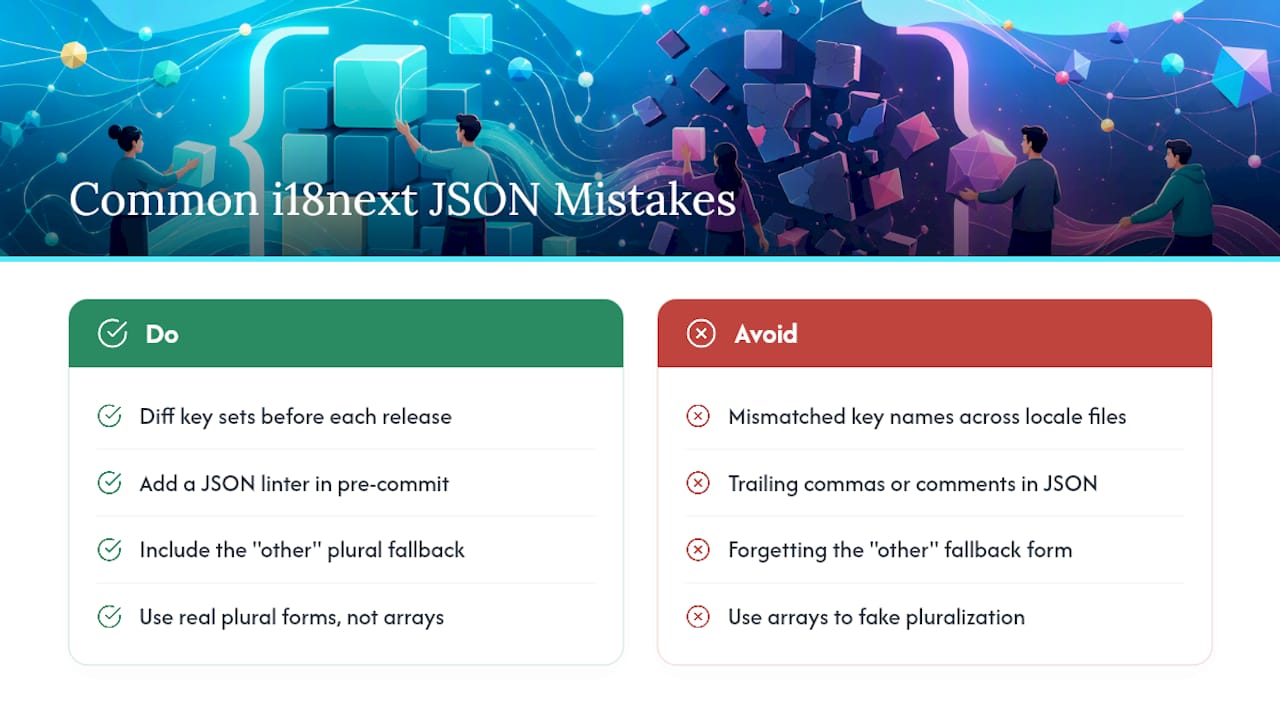
Mismatched key names across locale files. If en/common.json has a key called submitButton but fr/common.json calls the same string submitBtn, i18next silently falls back to the default locale for that key. There’s no error thrown, so this can sit unnoticed for weeks. Running a script that diffs key sets across all locale files before each release catches this instantly.
Trailing commas and comments in JSON. Standard JSON doesn’t support either, and a stray trailing comma from a copy-paste edit will break the entire file’s parse, not just one key. A JSON linter in your pre-commit hook (most editors support this out of the box) stops this before it reaches a pull request.
Forgetting the _other fallback form. Every plural group needs _other at minimum, since it’s the universal fallback CLDR requires. Skipping it means counts outside your defined suffixes render as undefined or a missing-key warning.
Overly deep nesting that breaks $t() references. A $t() call referencing a five-level-deep key is fragile. Rename or move that key later and the reference silently stops resolving, showing the raw key string to users instead of translated text.
Array values used where plural logic was actually needed. Arrays are for fixed, ordered lists, not for count-dependent text. Using an array to fake pluralization (["item", "items"] indexed by a boolean) throws away CLDR support entirely and breaks the moment you add a language with more than two plural forms.
The react-i18next example translation file is a solid reference for what a clean, real-world file looks like once these issues are ironed out.
Arkian’s Take on Keeping JSON Localization Sane
Bundle your core translation keys in-repo and let continuous integration handle packaging and validation, not a human eyeballing diffs before every release. That’s the pattern Arkian recommends for small teams, and it’s the pattern Arkian automates directly: validating plural coverage, checking key parity across locales, and packaging output into delivery-ready JSON without anyone needing repository access or a full translation management system. The Quiet Harbour localization case study shows this in practice across a multi-language app release. For deeper implementation notes, Arkian’s guide to structuring JSON language files is worth a read before your next locale rollout.
— Arkian
Skip the Manual Packaging Step
Most of what breaks in JSON localization isn’t the format, it’s the manual work around it: checking that every locale has matching keys, catching missing plural forms before they ship, and packaging a dozen namespace files into something deploy-ready. Arkian automates that layer directly. Instead of a developer manually diffing en/common.json against fr/common.json before every release, Arkian validates key parity and plural coverage automatically, then packages the output into delivery-ready JSON files.

If you’re a small team without a dedicated localization engineer, that automation is the difference between shipping a new language in an afternoon versus a week of back-and-forth file review. Arkian’s structured packaging service handles the validation and output step directly, and the localization strings page covers how translation itself fits into that same pipeline. Plans start with a monthly membership or one-off packages; current pricing details are available on the Arkian website. Check current job pricing and get your first JSON package validated at Arkian.
Sources
FAQ
Which i18next JSON version should I use in a new project?
Use v4. It’s the current format and the only one that maps plural suffixes directly to CLDR’s plural categories, which matters for any language beyond simple one/other pluralization.
How do I handle a language with more than two plural forms?
Define all six CLDR suffixes your target language needs (_zero, _one, _two, _few, _many, _other) and call the key the same way regardless of language: i18next.t('key', { count }). i18next resolves the correct form automatically based on the active locale.
When should I split translations into multiple namespaces?
Split once a single file gets hard to scan, typically past a few hundred keys, or once multiple teams touch different app areas. Common patterns are a shared common namespace plus feature-based files like checkout or settings.
What breaks most often when migrating from an older i18next format to v4?
Plural suffix naming is the top failure point, since older formats don’t distinguish CLDR’s full category set. Testing with a language like Arabic or Polish before rollout catches missing forms that English alone won’t reveal.
Can Arkian help package JSON translation files instead of doing it manually?
Yes. Arkian automates validation and packaging for JSON localization output, checking key parity and plural coverage before generating delivery-ready files, which removes the manual diffing step most teams do by hand.