
Localize iOS .strings files without opening a full localization program.
Arkian helps app teams create localized iOS .strings output from approved source copy. Keep the app in your control, preserve the keys, choose the languages, and download files your release workflow can inspect.
String files
Localized copy with keys, placeholders, and file rules preserved.
A focused path for iPhone and iPad string output.
Use Arkian when the job is to prepare language files for review and release support, not to give another system control of your Xcode project.
- Source strings are approved.
- Languages need to be produced cleanly.
- The app team wants files, not a new localization department.
- Arkian returns localized .strings files.
- Output stays package-based and inspectable.
- The app team decides how files enter Xcode and QA.
Multilingual assets organized for review.
The customer brings approved source content. Arkian returns files organized for review, delivery, or release support.
String files
Localized copy with keys, placeholders, and file rules preserved.
Metadata files
Titles, descriptions, keywords, topics, and context in structured files.
Audio files
Translated scripts, approved narration text, MP3/WAV output, validation, and repair-ready language packages.
Packaged assets
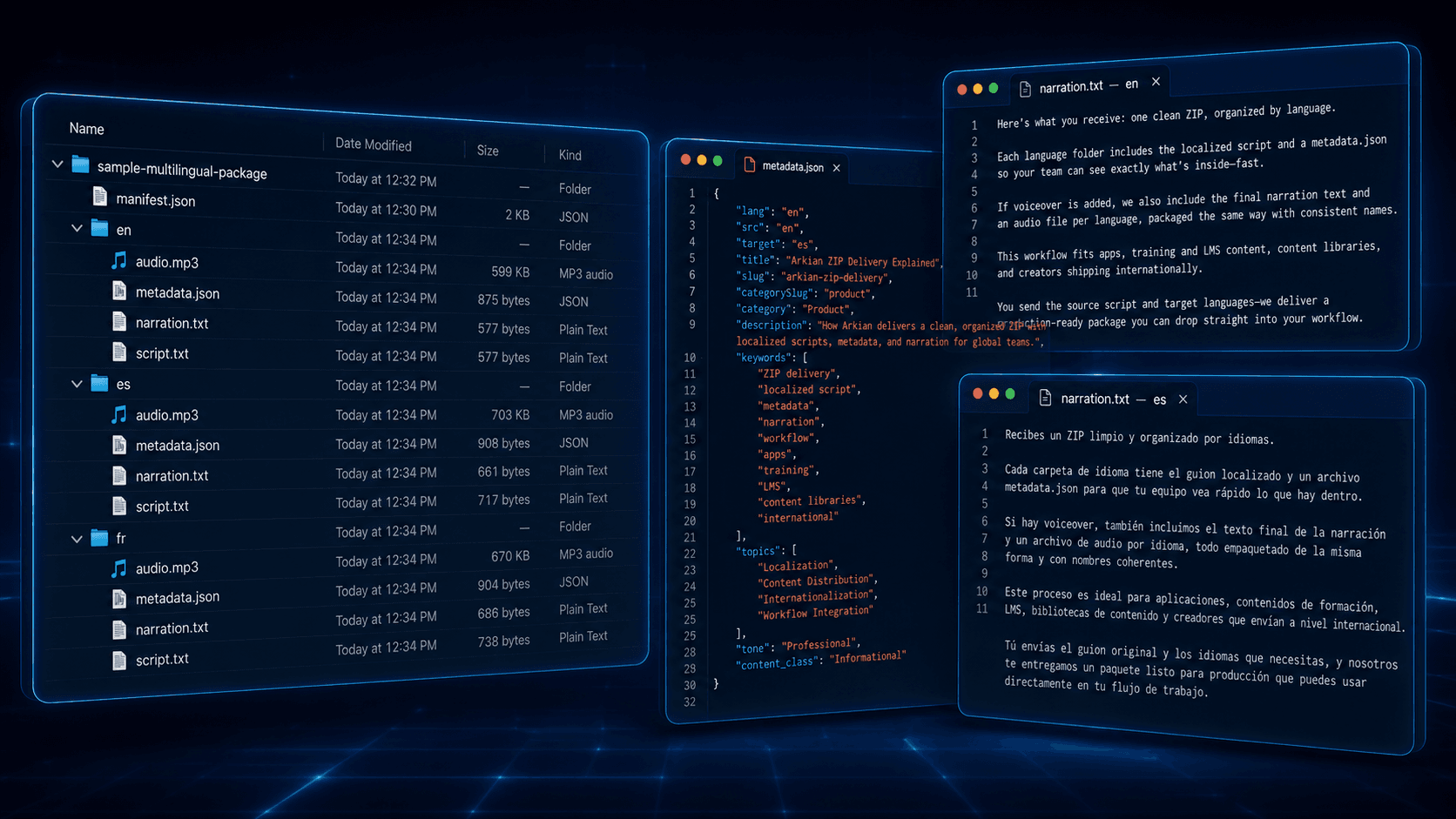
Predictable language folders, a root manifest, recorded validation status, and a downloadable ZIP for handoff.
The package is the handoff.
Arkian keeps the output inspectable: named files, selected formats, language folders, and package context.
Inputs
- Approved source strings
- String keys
- Target languages
- iOS .strings output selection
Outputs
- Localized .strings files
- Language folders
- Downloadable package
- Review-ready output
A focused path from source to package.
The customer keeps control of the final system. Arkian prepares the multilingual assets and package structure.
Add approved iOS source strings.
Choose target languages.
Generate iOS .strings output.
Review and place the files into your app workflow.
For clear jobs that do not need a full localization stack.
Arkian can support apps, websites, voice prompts, kiosks, onboarding, support content, and other systems that need multilingual assets without a full CAT/TMS workflow.
App UI
Navigation, buttons, settings, empty states, playback controls, and onboarding copy.
Indie releases
Language expansion for a focused app update without adopting a full stack.
Agency handoff
Client-ready .strings output packaged by language for review.
Product experiments
Test a market or language without changing your release system.
Internal apps
Prepare localized interface copy for tools used by distributed teams.
More than raw translation.
Translation is one part. Arkian adds the structure around it: formats, folders, metadata, scripts, voice files, naming, and delivery-ready packages.
No Xcode or repo access required.
Built for file output the app team can inspect.
Useful when a full TMS is more than the work requires.
Quiet Harbour proves the model in a shipped iOS app.
Questions customers may have.
Does Arkian modify my Xcode project?
No. Arkian returns files and packages. You decide how those files enter your Xcode project and release workflow.
Is this only for indie apps?
No. It is useful whenever a focused iOS localization job does not justify a full enterprise localization stack.
Does the output still need review?
Yes. Arkian prepares the release-support files. Product review, language QA, and in-app testing remain under your control.
Other Arkian workflows.
Create localized string files from approved source content while preserving keys, placeholders, and structure across JSON, iOS, Android, TypeScript, and YAML.
Create localized JSON files from approved source with keys and structure preserved, organized by language for apps, dashboards, kiosks, and web products.
See how Quiet Harbour, a shipped iOS app from Quiet Harbour Inc., uses Arkian-produced multilingual strings, metadata, content, audio, and language packages.
Create the multilingual assets this job needs.
Choose the output path, review the estimate, and download a structured package.
Open Arkian