
Developers: Ship RTL Without Rework, Logical CSS, 3 BiDi Fixes, Arkian
Developers: Ship RTL Without Rework, Logical CSS, 3 BiDi Fixes, Arkian

RTL language support means an interface correctly renders scripts like Arabic, Hebrew, and Persian by flipping layout direction, aligning text right-to-left, and mirroring UI elements where needed. The essential steps: set dir="rtl" on the document or the right elements, replace left/right CSS with logical properties, handle Unicode BiDi edge cases in mixed-script strings, and test with real RTL text before you ship.
TL;DR:
- Setting
dir="rtl"on either the entire document or specific elements depends on whether the whole page or only parts are in an RTL script, withdir="auto"helping in unpredictable, user-generated content.- Use logical CSS properties like
margin-inline-startortext-align: startinstead of physical ones, and rely ondirattributes to handle layout mirroring rather than static CSS rules.- Wrap embedded left-to-right fragments such as URLs, emails, or phone numbers in
<bdi>to prevent them from reordering unintentionally during BiDi processing.- Fixed icons, brand logos, and symbols that convey universal meaning should remain unmirrored, while structural UI elements like arrows and navigation controls need CSS transforms or mirrored SVGs.
- Automate RTL language packaging with tools that generate structured files in formats like JSON, XML, or iOS strings, reducing manual validation and supporting faster, more consistent multilingual releases.
Table of Contents
- Which Scripts Actually Need RTL Language Support
- HTML and CSS Essentials for RTL-Ready Interfaces
- Bidirectional Text: Where Layouts Actually Break
- Deciding What Mirrors and What Stays Fixed
- Getting Forms Right in an RTL Interface
- Typography and Numerals That Feel Native
- Testing RTL Before It Reaches Production
- Handling Exported Files and DTP for RTL Releases
- How Arkian Fits Into an RTL Localization Workflow
- What Teams Get Wrong About RTL, and a Sprint-Ready Checklist
- Ship RTL-Ready Language Files Without the Manual Grind
- Sources
- FAQ
Which Scripts Actually Need RTL Language Support
Arabic and Hebrew get most of the attention, but they’re not alone. Persian (Farsi), Urdu, Thaana (used for Dhivehi in the Maldives), N’Ko (West Africa), Adlam (Fulani), and Syriac all read right to left, each with its own quirks. Arabic connects letters into flowing ligatures. Hebrew doesn’t. Persian uses a modified Arabic script with extra characters.
Here’s the detail most teams miss: direction belongs to the script, not the language, as W3C’s internationalization guidance points out. A language can be written in more than one script, and scripts don’t all share one direction. That distinction determines whether you set dir="rtl" at the document level or scope it to a smaller element.
- Set
dir="rtl"on<html>when the entire page or app is served in an RTL locale. - Scope
dirto a specific<div>,<span>, or component when only part of the content is RTL, such as a quoted Arabic review inside an English article. - Use
dir="auto"for user-generated content where you don’t know the script in advance, like comment fields or chat messages.
HTML and CSS Essentials for RTL-Ready Interfaces
The dir attribute does the heavy lifting first. MDN’s documentation on the dir attribute recommends applying it to <html> for whole-document direction rather than <body>, since some browsers handle scrollbar and form behavior differently depending on where it sits. For unpredictable content, dir="auto" lets the browser inspect the first strong directional character and decide.
CSS is where most RTL bugs live. Physical properties like margin-left, padding-right, or text-align: left assume a fixed direction. Logical properties don’t:
margin-inline-startandmargin-inline-endreplacemargin-leftandmargin-right.padding-inline-startandpadding-inline-endreplace their physical equivalents.inset-inline-startandinset-inline-endreplaceleftandrightin positioned elements.text-align: startandtext-align: endreplacetext-align: leftandtext-align: right.
Bootstrap’s RTL documentation recommends setting dir="rtl" on <html> and building the rest of the stylesheet on logical properties so the browser flips layout automatically, with no duplicate RTL stylesheet required.
Reach for unicode-bidi and direction in CSS only for isolating specific runs of text, not as your primary layout tool. Relying on direction: rtl alone to “fix” RTL is a common trap. One practitioner puts it plainly in a widely cited RTL CSS guide: migrating to logical properties and handling BiDi isolation solves most real RTL problems, while direction: rtl by itself addresses only a sliver of what’s needed.
Bidirectional Text: Where Layouts Actually Break
Mixed RTL and LTR content triggers the Unicode Bidirectional Algorithm, and that’s where most visible bugs surface. The algorithm assigns a directionality to every character and then resolves runs of text into a visual order, but it makes assumptions that break down with numbers, parentheses, and embedded Latin text like URLs or product codes, according to the Unicode BiDi FAQ.
A phone number sitting inside an Arabic sentence can reverse its digit order. A parenthetical aside in English, dropped into a Hebrew paragraph, can end up with its closing parenthesis rendering on the wrong side. UAX #9, the formal specification behind the algorithm, defines directional isolate characters (RLI, LRI, FSI, PDI) that map directly to HTML and CSS tools you already have available.
Three practical fixes cover most cases:
- Wrap embedded LTR fragments (emails, URLs, product SKUs) in
<bdi>so the algorithm treats them as an isolated unit instead of merging them into the surrounding directional run. - Use
<bdo>when you need to force a specific direction regardless of the algorithm’s default. - Apply
unicode-bidi: isolatein CSS as the styling equivalent of<bdi>, especially for dynamically inserted content where you can’t control markup directly.
Pro Tip: Test with a string that mixes an Arabic sentence, an English product code, and a phone number in the same line. If any of those three reorders unexpectedly, wrap it in <bdi> before you touch anything else.
Deciding What Mirrors and What Stays Fixed
Navigation order flips in RTL. So does inline-start padding, breadcrumb arrows, and the position of a back button. Your logo doesn’t. Neither does a play button icon, a checkmark, or a brand-specific graphic that carries meaning independent of reading direction.
The rule of thumb: if an element’s position communicates reading order or flow (next/previous arrows, progress indicators, form field alignment), it mirrors. If it’s a fixed piece of brand identity or a universally recognized symbol, it stays put.
- SVG icons that represent direction (arrows, chevrons) need a mirrored variant or a CSS transform (
transform: scaleX(-1)) tied to thedirattribute. - Animations that slide content in from one side should reverse direction based on
dir, not hardcode a physical direction. - Scrollbars can appear on the opposite side in RTL browsers, and scroll position calculations that assume
scrollLeftstarts at zero can break; test scroll-based interactions specifically in RTL mode rather than assuming they’ll behave the same.
Getting this right often means pulling in engineers who’ve actually shipped RTL builds before, since frontend teams with direct RTL testing experience catch mirroring mistakes that automated linting misses.
Getting Forms Right in an RTL Interface
Forms are where RTL support either holds up or falls apart, because they mix free text with structured data that has its own directional rules regardless of the surrounding language.
- Force
dir="ltr"explicitly on email, phone number, and technical ID fields, even when the rest of the form is RTL. An email address doesn’t become RTL just because the label next to it is in Arabic. - Keep placeholder text and validation messages aligned with the field’s actual content direction, not the page’s default direction, so error text doesn’t visually collide with right-aligned RTL labels.
- Store numeric and structured fields (dates, phone numbers, IDs) in a canonical LTR order in your database regardless of display direction, and handle the visual flip only at render time.
Pro Tip: Run a quick audit of every input field in your app and ask: “Does this field’s content have an inherent direction, independent of the UI language?” If yes, hardcode dir="ltr" on it now, before it ships as a bug report from a Hebrew or Arabic user.
Typography and Numerals That Feel Native
Arabic and Hebrew need more breathing room than Latin scripts. Production RTL apps typically use a line-height between 1.7 and 1.9 and avoid letter-spacing entirely, since tracking breaks the connected ligatures that make Arabic legible.
- Build font-fallback stacks that include a font with genuine Arabic or Hebrew OpenType support, not just a Latin font with basic glyph coverage bolted on.
- Avoid
letter-spacingon Arabic text; it visually severs connected letterforms. - Decide upfront whether you’re displaying Western numerals (0-9) or Arabic-Indic numerals, and keep user input parsing consistent with whichever one you choose, since mixing the two mid-string is a common source of confused users.
Testing RTL Before It Reaches Production
A test matrix that only covers Chrome on desktop will miss half your RTL bugs. Include mobile Safari, Firefox, and at least one Android WebView, since font rendering and BiDi handling vary across engines.
- Test with real RTL strings, not lorem-ipsum placeholders. Long Arabic words behave differently in flex layouts than short English test strings.
- Include mixed-script test cases deliberately: an Arabic sentence with an embedded English brand name, a Hebrew form with a numeric ID field.
- Take device screenshots for visual regression testing rather than relying on unit tests alone; layout mirroring bugs are visual, not logical.
Automated tools like RTLCSS or PostCSS RTL plugins can auto-generate a mirrored stylesheet from your existing LTR CSS, which saves real engineering time. The trade-off: Bootstrap’s own RTL documentation notes that automated mirroring increases stylesheet size by roughly 20 to 30 percent, so factor caching and critical-CSS strategy into your build pipeline before you turn it on by default.
Handling Exported Files and DTP for RTL Releases
Mirrored layout doesn’t stop at the browser. Exported PDFs, print materials, and design handoffs need the same start/end thinking, or a translated brochure ends up with page numbers and margins that read backward.
- Confirm your DTP tool mirrors page layout, not just text direction, when exporting Arabic or Hebrew print materials.
- Package language files in the formats your build actually consumes: JSON, iOS .strings, Android XML, or YAML.
- Give localizers a pre-release checklist: confirm
dirattributes, logical CSS coverage, and BiDi isolation are in place before final export, per W3C’s authoring guidance.
How Arkian Fits Into an RTL Localization Workflow
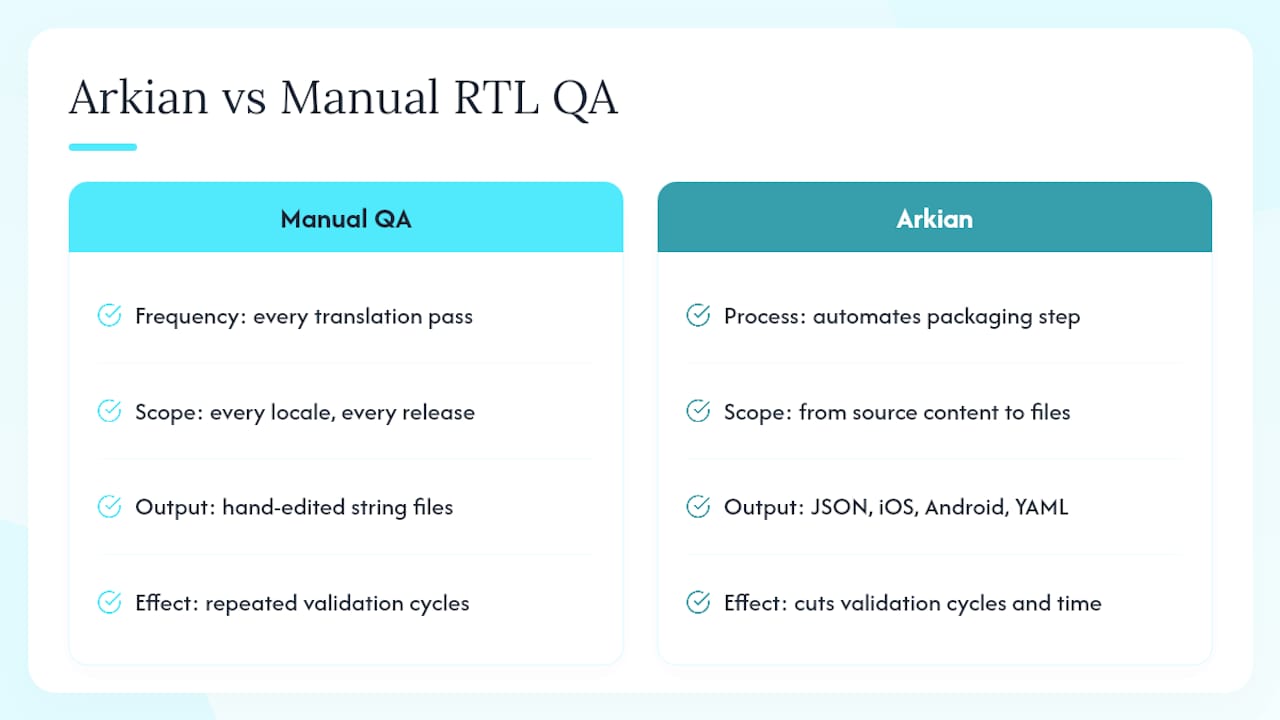
Manual RTL QA means re-checking every string file after every translation pass, across every locale, every release. The platform automates that packaging step: it generates structured, delivery-ready language files (JSON, iOS strings, Android XML, YAML) directly from source content, so teams aren’t hand-editing files after each translation update.
That automation cuts down the repeated validation cycles that eat time when a small team ships in multiple languages at once, RTL included. This approach has been demonstrated in a real production context through work packaging localized assets for the Quiet Harbour app, where consistency across languages mattered as much as translation accuracy itself.
What Teams Get Wrong About RTL, and a Sprint-Ready Checklist
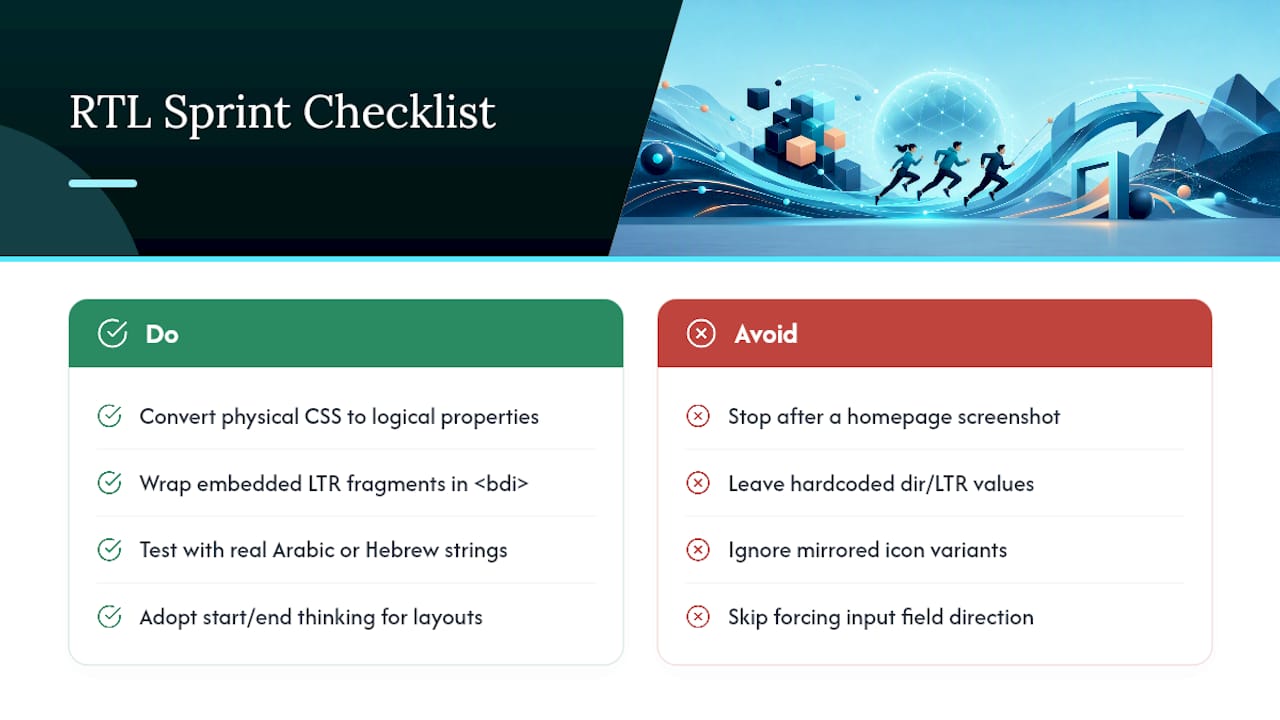
The most common mistake is stopping the moment direction: rtl renders correctly on a homepage screenshot. The real work is auditing every hardcoded left/right value, every icon that needs a mirrored variant, and every input field that needs a forced direction. Shifting to start/end thinking slows your first RTL sprint down. It pays for itself on every release after that, because you stop re-fixing the same layout bugs in every new locale.
For your next sprint: convert physical CSS properties to logical ones, wrap every embedded LTR fragment in <bdi>, and test with real Arabic or Hebrew strings, not placeholder text.
— Arkian
Ship RTL-Ready Language Files Without the Manual Grind
The platform gives small teams a faster path from source strings to release-ready multilingual packages, without the repository access or full translation management system that most localization tooling assumes you have. Instead of exporting, validating, and repackaging every language file by hand each time content changes, Arkian automates that production step and hands back structured outputs your build can consume directly.

File formats commonly needed for locales such as Arabic, Hebrew, or Persian are covered: Android XML string files, iOS .strings files, and JSON and YAML packages. A consistent multilingual output structure facilitates integration into build pipelines. Prospective users should review who the platform is built for to assess fit before their next localization pass.
FAQ
What Is RTL Language Support?
RTL language support is an interface’s ability to correctly display and lay out right-to-left scripts like Arabic and Hebrew, covering text alignment, element mirroring, and correct handling of mixed-direction content.
What Counts as an RTL Language?
Any language written in a script that reads right to left, including Arabic, Hebrew, Persian, Urdu, Thaana, N’Ko, Adlam, and Syriac, counts as RTL, though technically the direction belongs to the script rather than the language itself.
Is Arabic RTL or LTR?
Arabic is RTL. Its script reads and is laid out right to left, though embedded numerals and Latin text within an Arabic sentence still render left to right through the Unicode Bidirectional Algorithm.
What Is the Difference Between RTL and LTR?
RTL (right-to-left) and LTR (left-to-right) describe the reading and layout direction of a script; English and most Latin-based languages are LTR, while Arabic and Hebrew are RTL, and many interfaces need to support both.
Does the platform handle RTL language packaging?
The platform automates the production of structured, delivery-ready language files across formats like JSON, iOS strings, and Android XML, supporting the file-handling side of RTL releases once your interface’s dir attributes and logical CSS are in place.