
CI First 5 Stage Automated App Localization for Small Dev Teams
CI First 5 Stage Automated App Localization for Small Dev Teams

Automated app localization is a continuous pipeline that detects new or changed strings, runs them through machine translation or LLM engines layered with translation memory and glossaries, checks quality automatically, and packages the result into files ready for release. It fits any team shipping updates faster than manual translation cycles can keep up. The payoff is speed, consistent terminology across languages, and a lower marginal cost per string than hiring translators for every release.
TL;DR:
- Automated localization pipelines prioritize delivering ready-to-use files by automating translation, quality checks, and packaging without extensive workflow overhead for small teams.
- Proper source string hygiene, including avoiding concatenated fragments and missing context, is critical to prevent broken translations and layout issues in the final product.
- Automated QA should flag placeholder errors, pluralization mistakes, length overruns, and RTL layout problems, with complex or sensitive content always routed for human review.
- Connecting translation automation to CI/CD via pull request previews and controlled change detection minimizes risks and API throttling while ensuring quality before release.
- Small teams can bypass full enterprise TMS setups by using tools like Arkian that generate validated, packaging-ready language files, metadata, and voice content directly.
Table of Contents
- What Automated App Localization Actually Means Today
- Anatomy of an Automated Localization Pipeline
- Wiring Localization Into CI/CD, Git, and SDKs
- Building Reviewable, Release-Ready Language Files
- What Automation Handles Alone vs. What Needs a Human
- A Rollout Checklist for Teams New to Automation
- Where Automated Pipelines Go Wrong
- The Arkian View: Production First, TMS Overhead Later
- Get Delivery-Ready Language Packages Without the TMS Setup
- Sources
- FAQ
What Automated App Localization Actually Means Today
Ask five developers what “automated localization” means and you’ll get five different answers, because the term covers everything from a single API call to a full enterprise workflow. Getting the vocabulary straight matters more than it sounds, because product managers and engineers often talk past each other using the same words for different systems.
Continuous localization describes the practice of translating strings incrementally as they’re written, rather than batching everything before a release. It mirrors continuous integration: small changes flow through the pipeline constantly instead of piling up into a painful, once-a-quarter translation sprint.
A translation management system (TMS) is the coordination layer. It centralizes intake from your codebase or design tools, applies translation memory and glossaries, routes work to reviewers, and reports on progress. A TMS earns its cost when the bottleneck is coordination across many vendors, languages, and content types, not just raw translation volume.
CAT tools (computer-assisted translation) are the interface human translators or reviewers use to edit machine output with memory suggestions and glossary hints visible alongside the source text.
Translation memory ™ stores every previously approved translation so identical or similar strings never get retranslated from scratch. A glossary locks down brand terms, product names, and domain vocabulary so “cancel” doesn’t become three different words across your app.
A few other terms worth nailing down:
- MT engine: the raw translation model (statistical, neural, or LLM-based) that converts source text into a target language with no memory or workflow logic attached.
- In-context translation: showing the translator a screenshot or live preview of where the string appears, which cuts ambiguity errors dramatically.
- Staged automation: MT drafts everything, but a human reviews before publish.
- Fully automated: MT and QA checks handle publishing directly, with humans sampling after the fact rather than gating before it.
The difference between an MT engine and a full TMS workflow is the difference between an engine and a car. One produces raw translated text. The other manages who touches that text, when, and under what rules before it ships.
Anatomy of an Automated Localization Pipeline
Every mature pipeline breaks down into the same five stages, regardless of vendor or scale. Understanding each one lets you evaluate a tool by its components instead of its marketing page.
- Intake and change detection. Connectors watch your repository, CMS, or design files for new or modified strings. Some systems poll on a schedule; others use webhooks that fire the moment a pull request touches a resource file. Translation Hub style architectures can run this detection without requiring deep repository access, which matters for teams wary of granting broad permissions to a third party.
- MT and LLM translation. New or changed strings get sent to a translation engine. LLM-based pipelines increasingly outperform older statistical MT on idiom and tone, particularly for conversational app copy, though they still need guardrails around consistency.
- TM and glossary application. Before or after MT runs, the system checks whether a string (or something close to it) already has an approved translation. Applying memory here is what keeps costs from scaling linearly with your string count, since TMS platforms apply memory and terminology over MT drafts to reduce repeat costs as memory grows.
- Workflow orchestration. This is the approval logic: which languages auto-publish, which get flagged for human review, and what happens when a reviewer rejects a string. Some teams route only new content through review while auto-publishing minor edits to already-approved strings.
- Packaging and delivery. The final stage converts translated content into the actual files your app consumes: Android XML, iOS
.strings, JSON, plus any metadata or audio artifacts, organized into a folder structure your build system expects.
Telemetry sits alongside all five stages rather than after them. You want visibility into job failures, API rate limits hit, strings that failed placeholder validation, and turnaround time per language. Without that visibility, a broken connector can silently stop translating a language for weeks before anyone notices the app store listing is stale.
Wiring Localization Into CI/CD, Git, and SDKs
The mechanical question every engineering team eventually asks is: when does translation actually run? Three patterns dominate.
- CI-triggered jobs: a merge to your main branch fires a localization job automatically, translating only the diff.
- Scheduled jobs: a nightly or hourly batch job checks for accumulated changes, useful for teams that don’t want translation noise on every single commit.
- PR-time previews: translation runs against a pull request before merge, giving reviewers a preview build with translated strings before the change ships.
PR-time previews are the pattern most teams underuse. Generating a preview build with an emulator screenshot for each target language lets a product manager or reviewer catch layout breakage or context errors before the string ever reaches production, not after a user reports garbled text in the Play Store reviews.
Connectors deserve care too. Vendor CLI tools and Git integrations exist specifically to automate extraction and reinsertion of strings without manual exports, and tools like the Lokalise CLI show the pattern: a command line tool wired into your CI pipeline pulls source strings, pushes them for translation, and pulls translated files back down as a build step. Rate limiting matters here. A job that fires on every commit across a monorepo with dozens of contributors can hammer a translation API into throttling, so batching changes at the PR or merge level rather than the individual commit level avoids that trap.
Access controls matter just as much as the automation itself. Give your localization connector the narrowest permission scope that works. A read-only token limited to your resource files directory is safer than a full repository write key, and it limits the blast radius if that token ever leaks.
Pro Tip: Run your first automated localization job against a feature branch, not main. If the connector misbehaves, mistranslates a critical string, or floods your API quota, you want that mess contained to a branch you can delete, not a production release.
Building Reviewable, Release-Ready Language Files
Automation only helps if what comes out the other end is a file your build system can actually consume without manual cleanup. That means matching platform conventions exactly, not approximately.
Your format checklist should cover:
- Android XML (
strings.xml) with correct escaping for apostrophes, ampersands, and ICU plural rules. - iOS
.stringsfiles formatted for Xcode’s expected key-value structure, including stringsdict for plurals. - JSON, TypeScript, or YAML for web apps and cross-platform frameworks like React Native or Flutter.
- XLIFF when you need an interchange format for handing content to an external vendor or reviewer outside your normal tooling.
Folder structure matters more than teams expect until it goes wrong. A consistent pattern (locale code as the top-level folder, consistent file naming across languages) keeps your build scripts predictable and prevents a missing fr-CA folder from silently falling back to English in production. Metadata files describing string context, character limits, and screenshot references should travel alongside the translated content, not live in a separate system a translator has to hunt down.
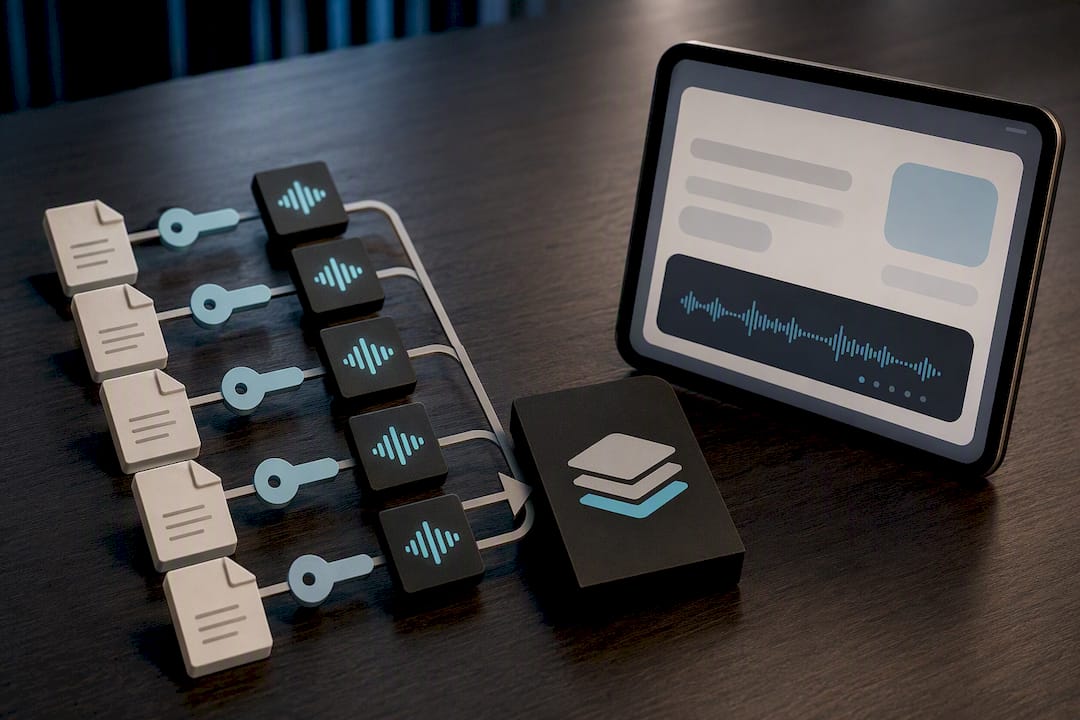
Audio output adds another layer. If your app uses TTS narration or voice prompts, the packaged bundle needs matching audio files (MP3 or WAV) alongside the text, named to the same key convention as your string files, so a build script can pull both without custom mapping logic. Previewing translated strings inside an actual app screen, not just a spreadsheet, catches truncation and awkward line breaks that a text-only review misses entirely. For teams weighing which formats to prioritize first, Arkian’s overview of supported string types walks through the common cross-platform patterns.
What Automation Handles Alone vs. What Needs a Human
Automated QA checks are the cheapest insurance in the entire pipeline, and most teams underuse them. A solid automated gate catches:
- Broken placeholders (
{name}disappearing or reordering incorrectly) - ICU plural rule violations
- Length overruns that will truncate on smaller screens
- Missing right-to-left (RTL) markup for Arabic or Hebrew strings
- Profanity or flagged terms slipping through raw MT output
None of that requires a human eye, and skipping it is how apps end up shipping a string that reads “Welcome, {name” to production.
Quality scoring adds a second layer. Rather than reviewing every string, mature pipelines sample a percentage of auto-translated content per release, weighted toward higher-traffic screens and newer language pairs where the MT engine has less established memory to draw from. A string that scores below a confidence threshold, or that touches a glossary term flagged as sensitive, gets routed to a human automatically instead of publishing blind.
Some content should never auto-publish, full stop. Legal disclaimers, subscription and billing copy, health or safety warnings, and anything touching regulatory language needs a human reviewer regardless of how confident the MT engine claims to be. The cost of a mistranslated refund policy is not comparable to the cost of a slightly awkward button label.
The feedback loop closes the system. Every human correction should feed back into translation memory so the same mistake never gets machine-translated the same wrong way twice. Teams that skip this step end up paying for the same correction repeatedly, release after release, because their MT engine never learns from yesterday’s fix.
Pro Tip: Set your sampling rate higher for new language pairs and lower for languages with years of accumulated translation memory. Confidence should scale with the size of the memory backing it, not stay fixed at some flat percentage across every locale.
A Rollout Checklist for Teams New to Automation
Moving from manual translation spreadsheets to an automated pipeline works best as a staged rollout, not a weekend migration. Here’s the order that minimizes risk.
- Audit your source strings first. Look for hardcoded text buried in code, missing internationalization (i18n) wrappers, and strings that concatenate fragments in ways that break in languages with different word order. Automation amplifies whatever mess already exists in your source content.
- Flag high-risk strings (legal, billing, safety) for permanent human-review routing before you turn anything else on.
- Set up connectors and change detection against a single low-traffic feature branch first, not your entire codebase at once.
- Configure translation memory, glossary terms, and approval rules before you let anything auto-publish. Decide now which languages are trusted enough to skip review and which aren’t.
- Run a staged test release with preview builds and a defined human sampling rate, watching for placeholder errors, RTL layout issues, and truncation.
- Monitor cost per string, turnaround time, and the human-review rejection rate for at least one full release cycle before expanding scope.
- Iterate by widening auto-publish rules only for language pairs and content types that consistently pass review with minimal correction.
Pro Tip: Track your human-review rejection rate as your single most important early metric. If reviewers are correcting more than a small fraction of auto-translated strings, your MT engine, glossary, or context data needs work before you expand automation further, not after.
Where Automated Pipelines Go Wrong
The single most common failure is translating strings that were never prepared for translation in the first place. Concatenated sentence fragments, hardcoded plurals, and strings missing gender or context markers all produce technically-translated, functionally-broken output. Fix your i18n hygiene before you automate anything.
A close second: automation silently overwriting a curated, human-approved translation. Play Console’s automatic translation feature will override existing translations for selected languages unless you explicitly opt to manage them yourself, which is a reasonable default but a dangerous one if you forget it’s on. Always check whether “automatic” means “automatic unless I intervene” or “automatic, full stop, no exceptions.”
Other pitfalls worth guarding against:
- Noisy, uncontrolled jobs that fire on every micro-commit and burn through API quota or translation budget for changes nobody asked to ship yet.
- Overly broad repository access granted to a connector, creating a security exposure disproportionate to the actual translation task.
- RTL layout breakage that only surfaces once real Arabic or Hebrew text populates a UI built and tested exclusively in English.
- Pluralization bugs that pass QA in English (which has simple plural rules) but fail in languages with three, four, or six grammatical plural forms.
Catching these before a wide rollout costs a few hours of testing. Catching them after costs a support queue full of confused users and a rushed hotfix release.
The Arkian View: Production First, TMS Overhead Later
Most localization advice assumes you’re building toward an enterprise TMS, with connectors, vendor management, and reporting dashboards. That’s the right call when coordination across dozens of languages and vendors is genuinely your bottleneck. For a five-person team shipping a single app, it’s usually overkill: a TMS earns its overhead when coordination itself is the bottleneck, and most small teams aren’t coordinating anything. They just need translated files that work.
That gap is exactly what Arkian’s platform is built around. Instead of routing content through repository connectors and workflow rules, Arkian automates the creation of multilingual scripts, voice outputs, and structured language packages directly, then handles validation and packaging as part of the same pass. No extensive repository access, no separate TMS license to configure.
The Quiet Harbour localization case study shows this in practice: a small team got a coherent, validated localized product experience across multiple languages without building out the connector and approval infrastructure a full TMS would demand. That’s the trade small teams are actually weighing, not “MT versus human translation,” but “do I need enterprise coordination tooling, or do I need finished, delivery-ready files.”
— Arkian
Get Delivery-Ready Language Packages Without the TMS Setup
If everything above sounds like more infrastructure than your team has time to build, that’s the gap Arkian exists to close. Where a full TMS asks you to configure connectors, approval chains, and vendor routing, Arkian focuses on the output you actually need: validated strings, audio, and metadata packaged into files your build system can drop in directly.

For string localization across Android XML, iOS .strings, JSON, and YAML, Arkian’s localization strings service produces reviewable bundles without requiring you to grant repository access. If your app needs narrated or TTS voice content alongside translated text, multilingual voice production generates that audio in the same pass. Structured app metadata, store listings, and descriptions go through metadata production, and everything ships through structured packaging organized into a folder structure ready for your release pipeline.
Start with a Starter job to see a real package end to end, or check the Arkian pricing page for current details on pricing plans for recurring localization jobs.
Sources
FAQ
What Does App Localization Mean?
App localization means adapting an app’s text, audio, layout, and formatting for a specific language and region, going beyond word-for-word translation to cover date formats, currency, plural rules, and cultural tone. It differs from simple translation because it accounts for how content actually displays and behaves in each target market.
Can AI Do Localization on Its Own?
AI can handle a large share of localization work, including translation drafts, placeholder and format checks, and even TTS voice generation, but full automation without any human review works best for lower-risk content. Legal, billing, and safety-related strings still need a human reviewer regardless of how the LLM-based pipeline performs elsewhere.
What Is the Best App for Automated Translation?
There’s no single best tool. It depends on whether you need a full coordination platform (a TMS) or a lighter production tool that outputs delivery-ready files directly. Teams that just need finished strings, audio, and metadata packaged without repository access or vendor management often look at Arkian’s localization strings production instead of a full TMS.
How Much Does Automated App Localization Cost?
Cost depends heavily on scale, language count, and whether you need a full TMS license versus a production-focused tool. Arkian offers starter and membership options; see the Arkian pricing page for current details.
What Are the Best Practices for App Localization?
Fix internationalization issues in your source code before translating anything, apply translation memory and glossaries to keep terminology consistent, and set automated QA checks for placeholders, plurals, and RTL layout. Route high-risk content like legal and billing copy to human reviewers every time, regardless of how well your MT engine performs on lower-risk strings.