
6 BCP 47 Rules Developers Must Follow to Avoid Locale Breaks
6 BCP 47 Rules Developers Must Follow to Avoid Locale Breaks

BCP 47 is the IETF standard for identifying human languages in software, and it does the job with a short string of hyphen-separated subtags like en or sr-Latn-RS. Browsers, operating systems, and APIs all read these tags to decide which language content to render, from the HTML lang attribute to locale settings buried in an OS. If you’re building anything that ships in more than one language, this tag format is the plumbing underneath it.
TL;DR:
- Using private-use subtags or over-specified tags increases maintenance without improving rendering or formatting accuracy.
- Parsing tags into components like language, script, and region supports better fallback strategies and consistency across platforms.
- Relying on the IANA registry and validation libraries ensures tags are current, valid, and properly formatted, reducing errors.
- The structure and casing of subtags follow strict conventions: lowercase for language, Title Case for script, and uppercase for region, which must be normalized.
- Treat private-use codes as opaque identifiers, and plan for deprecation or reallocation of language and region codes over time.
Table of Contents
- What Are BCP 47 Language Codes, Exactly?
- Common BCP 47 Examples and What They Encode
- How Should You Implement and Validate These Tags?
- Where to Look Up Valid Subtags and Keep Systems Current
- Why Correct Tagging Matters More Than It Looks Like It Should
- Sources
What Are BCP 47 Language Codes, Exactly?
BCP 47, short for Best Current Practice 47, is the IETF standard for identifying human languages across technology platforms. It’s not a single code list. It’s a grammar for combining codes from other standards, mainly ISO 639 for languages, into one interoperable tag.
The formal shape comes from RFC 5646, which lays out the production order for a language tag:
language [-script] [-region] *(-variant) *(-extension) [-privateuse]
Only one piece is mandatory: the primary language subtag, pulled from ISO 639 (think en for English or ja for Japanese). Everything else is optional and gets added only when it changes meaning. A tag consisting only of a private-use subtag is the sole exception to the “language subtag required” rule.
Casing isn’t arbitrary, either, and getting it wrong won’t break parsing but will break convention. MDN’s BCP 47 glossary entry confirms the pattern:
- Language subtags are lowercase (
en,fr,zh) - Script subtags are Title Case (
Latn,Hant,Cyrl) - Region subtags are uppercase (
US,GB,419) - Variant subtags are lowercase (
valencia)
Where do the individual subtag values come from? Script codes trace back to ISO 15924, region codes come from ISO 3166-1 alpha-2 (two-letter country codes) or UN M.49 (numeric area codes), and every registered combination lives in the IANA language subtag registry. Extensions and private-use subtags follow their own registration or informal-agreement rules, which the next sections cover in more detail.
Common BCP 47 Examples and What They Encode
Most of what you’ll ever need fits into a handful of patterns. Once you recognize the shape, reading an unfamiliar tag stops being guesswork.
en: English, no region specified. Use this when you don’t need to distinguish dialects.en-US/en-GB: English as used in the United States versus the United Kingdom. Same language, different spelling and formatting conventions.sr-Latn: Serbian written in Latin script, as opposed to the default Cyrillic. The script subtag exists specifically for languages that use more than one writing system.zh-Hant: Chinese in Traditional script (zh-Hanswould be Simplified). Region is often layered on top, as inzh-Hant-TW.es-419: Spanish for Latin America, using the UN M.49 numeric code419rather than a single country code, since the audience spans dozens of countries.fr-Brai: French in Braille script, an example MDN uses to show script subtags aren’t limited to visual scripts like Latin or Cyrillic.
Beyond these, BCP 47 also supports dialect-level variants, such as ca-ES-valencia for the Valencian variant of Catalan, a case W3C’s internationalization guidance uses to illustrate how deep the tagging can go when it matters. A small number of “grandfathered” tags, like i-klingon, predate the current subtag system and stay valid for backward compatibility, but you won’t generate new ones this way. Private-use tags, marked with an x- prefix, carry no meaning outside the system that defined them. Treat those as internal shorthand, not a language identifier anyone else can interpret.
How Should You Implement and Validate These Tags?
Knowing the syntax is half the job. Using it well in a codebase is the other half, and it’s where most implementation mistakes actually happen.
- Default to minimal tags. Use
enunless you specifically needen-GBfor spelling differences oren-AUfor regional content. Microsoft’s globalization guidance is explicit that over-specifying tags creates maintenance overhead without adding value, especially when the extra subtag doesn’t change rendering, formatting, or word choice. - Parse tags into components, not strings. Split a tag into language, script, and region rather than pattern-matching the whole string. That lets you build a fallback chain: try the full tag, then language-plus-script, then language alone, then a hardcoded default.
- Don’t hardcode a master list of valid tags. Tags get added, split, and deprecated as the IANA registry evolves. Lean on a library or a registry sync job instead of a list you’ll forget to update.
- Treat private-use subtags as opaque. An
en-US-x-mybrandtag means something only inside the system that created it. External services, translation vendors, or TTS engines have no way to interpret it without a documented internal mapping. - Plan for deprecated codes. Language and region codes do get retired or reassigned over time. Build a remapping path instead of assuming a tag captured five years ago is still current.
- Validate with a library, not a regex. A regex can confirm a string looks like a tag. It can’t confirm the subtags inside it are real. ICU and CLDR-aware libraries check both structure and registry validity, which a hand-rolled pattern match never will.
Pro Tip: Normalize casing before you compare or store tags, language lowercase, script Title Case, region uppercase, so string comparisons and registry lookups behave consistently instead of silently failing on a case mismatch.
Where to Look Up Valid Subtags and Keep Systems Current
The IANA language subtag registry is the primary source of truth for every registered subtag. If a tag isn’t listed there, treat it with suspicion. The registry gets updated as languages, scripts, and regions change status, so a one-time hardcoded copy goes stale fast.
For the rules themselves, RFC 5646 is the specification text, and RFC 4647 defines how tags get matched and selected when an exact match isn’t available. That matching logic matters more than most developers expect. It’s what decides whether a user requesting fr-CA should fall back to fr or to a default language entirely.
A few resources worth bookmarking:
- MDN’s BCP 47 glossary entry for plain-language explanations and web-platform examples.
- Microsoft’s standard locale names documentation for platform-specific notes on Windows, .NET, and related tooling.
- CLDR and Unicode references for script and language code data that underpins most modern libraries.
- Online subtag lookup tools and gists for a quick sanity check without opening the full registry.
A quick validation habit worth borrowing from adjacent SEO tooling: the way a canonical tag checker confirms a page’s canonical URL is well-formed before it ever reaches a search engine is the same instinct you want applied to language tags before they reach a browser or API.
Why Correct Tagging Matters More Than It Looks Like It Should
Most developers treat language tags as an afterthought, something you slap on a folder name and move past. That’s backward. The tag is the interface between your content and every downstream system that has to interpret it: browsers negotiating content, TTS engines picking a voice, translation tools deciding which locale variant to load.
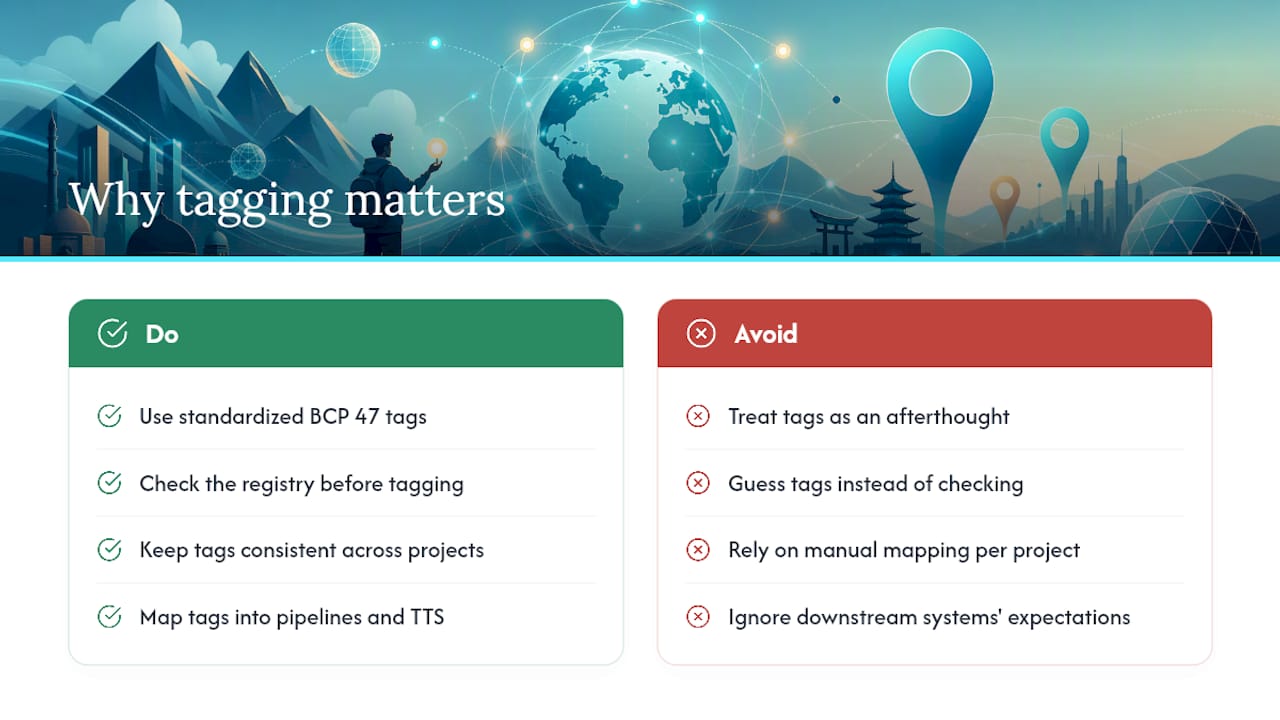
Standardized BCP 47 tags enable automated pipelines to map source strings and voice output to the correct multilingual packages without manual mapping for each project. When tags are consistent going in, structured multilingual packages and TTS audio output come out organized by language and region automatically, which cuts the manual reconciliation work that normally eats a release cycle. Teams that want to see this in practice can look at how Arkian handles who it’s built for before committing to a workflow change.
The pattern we see most often isn’t malicious inconsistency, it’s developers guessing at tags instead of checking the registry, then discovering months later that half their locale folders don’t match what their TTS vendor or translation tool expects. That mismatch is expensive precisely because it’s invisible until launch day.
— Arkian
Sources
For anyone building validation logic or writing internal documentation, these are the sources worth citing directly:
- RFC 5646: Tags for Identifying Languages | RFC Editor
- Standard locale names - Globalization | Microsoft