
ICU Message Format: 3 Checks Before Shipping for Developers
ICU Message Format: 3 Checks Before Shipping for Developers

ICU Message Format is a pattern-based syntax that keeps translatable strings locale-aware instead of hardcoded. It’s the industry standard for handling plurals, gendered branching, and number or date formatting inside a single string, driven by CLDR plural rules. Reach for it whenever translators, not your application code, need to control grammar.
TL;DR:
- ICU Message Format handles complex localization needs, including plurals, gender, and locale-specific date and number formatting, within single translatable strings.
- Using named arguments improves translation clarity, while complex argument types like plural, select, and selectordinal support advanced grammatical variations across languages.
- Skeletons enable locale-independent date and number formatting, replacing hardcoded patterns with adaptable, region-aware formatting rules.
- Proper quoting, escaping, and nesting practices are essential to prevent silent ICU bugs and ensure accurate message rendering across languages.
- Automated tools and validation pipelines, such as Arkian, streamline ICU message production, validation, and packaging for multiple platforms and localization workflows.
Table of Contents
- What Is ICU Message Format and Why Does It Matter for I18n?
- Core ICU Message Syntax and Simple Interpolation
- Complex Argument Types: Plural, Select, Selectordinal, and Choice
- Formatting Numbers, Dates, and Times with Skeletons
- Quoting, Escaping, and the Apostrophe Trap
- Nesting Rules and TMS Extraction Limits
- How to Write ICU Messages Translators Will Actually Get Right
- Tooling and Library Support Across Platforms
- Production-Ready ICU Message Examples You Can Copy
- Arkian’s Approach to ICU Message Production
- A Faster Path from ICU Strings to Shipped Languages
- Where to Go Deeper on ICU Syntax
- Sources
What Is ICU Message Format and Why Does It Matter for I18n?
String concatenation breaks the moment you translate past English. Building a sentence out of fragments like "You have " + count + " new messages" might work for English, but Polish has five plural forms, Arabic has six, and Japanese has none at all. Bolting if/else branches onto your application code to handle that is unmaintainable and puts grammar decisions in the wrong place: the codebase instead of the translation file.
ICU Message Format fixes this by keeping the entire sentence, including its grammatical variations, inside one translatable string. The library reads the runtime locale and picks the correct branch automatically using CLDR’s plural category system.
Reach for ICU when you’re dealing with:
- Multi-language interfaces where the same UI text needs to flex per locale
- Pluralized content (counts, item lists, notification badges)
- Gender or role-based pronoun selection
- Numbers, currencies, and dates that need locale-correct formatting, not hardcoded patterns
Core ICU Message Syntax and Simple Interpolation
The basic building block is the placeholder: a name wrapped in curly braces. Hello, {name}! gets a value at runtime, and the calling API decides whether that value is matched by name or by position.
Most modern implementations use named arguments ({name}, {count}) because they’re self-documenting and survive reordering during translation. Older systems, including some legacy Java code, use numbered arguments ({0}, {1}), which are harder for translators to read out of context and easier to break if word order changes between languages.
If you don’t specify an argument type, ICU falls back to locale defaults. A bare {count} prints as a plain number using the current locale’s digit grouping; a bare {date} uses a generic date format.
A minimal JavaScript-style example:
{
  "welcome": "Hello, {name}! You have {count} new messages."
}
The equivalent Java ICU pattern, compiled with MessageFormat:
MessageFormat mf = new MessageFormat("Hello, {0}! You have {1, number} new messages.", locale);
Key things to remember about basic syntax:
- Named args are preferred for anything translator-facing
- Omitting the argument type lets ICU apply sensible locale defaults
- Every placeholder must have a matching runtime value or the formatter throws
Complex Argument Types: Plural, Select, Selectordinal, and Choice
This is where ICU earns its keep. Four complex argument types cover almost every branching scenario you’ll hit in production, and the ICU documentation treats plural and select as the modern standard, with choice deprecated.
- plural matches CLDR plural categories (
zero,one,two,few,many,other) rather than raw counts. The#token inside a branch inserts the formatted number, and=nlets you override an exact value, like=0for “no items.” Anoffsetmodifier subtracts a fixed number before category matching, which is exactly how “You and 3 others liked this” works without any app-side math. - select branches on an arbitrary string, most often gender or role. Every select block needs a mandatory
otherbranch as a fallback, even if you think you’ve covered every case. - selectordinal handles ordinal grammar like “1st,” “2nd,” “3rd,” and maps to locale-specific ordinal rules that differ wildly outside English.
- choice is the legacy numeric-range format from early ICU versions. It’s still parsed by most libraries, but plural and select handle the same problems more clearly and should replace it in new code.
Pro Tip: Never skip the other branch in a select statement, even for a binary case like gender. Locales you haven’t tested yet may return a category value your branches don’t cover, and a missing fallback throws a runtime error instead of degrading gracefully.
A production plural example:
{count, plural,
  =0 {No items in your cart}
  one {# item in your cart}
  other {# items in your cart}
}
Formatting Numbers, Dates, and Times with Skeletons
Skeletons are ICU’s answer to hardcoded date and number patterns. Instead of writing MM/dd/yyyy and hoping it works everywhere, you prefix a skeleton with ::, like {date, date, ::yMMMMd}, and let the library pick the regionally correct arrangement. The same value renders as “March 12, 2026” in the US and “12 March 2026” in the UK from the identical pattern, because the ICU skeleton system resolves it per locale rather than baking in a fixed layout.
Predefined styles cover the common cases without a skeleton at all:
short,medium,long, andfullfor both dates and times::currency/USD .00for a currency skeleton with a fixed fractional precision- Plain
number,date, andtimeargument types for defaults with no extra formatting
Skeletons beat pattern strings almost every time because they’re locale-independent. The one exception is when you’re rendering a value that’s already been formatted upstream (a pre-formatted date string from a database, for instance) — in that case, pass it through as plain text rather than re-parsing it through ICU.
Quoting, Escaping, and the Apostrophe Trap
Apostrophe handling causes more silent ICU bugs than any other part of the syntax. A single quote only starts a “quoted literal” when it directly precedes a syntax character like {, }, #, or |. Anywhere else, it’s just an apostrophe.
To get a literal apostrophe in your output, type two of them in a row: ''. To print a literal curly brace, wrap it in single quotes, like '{'. Get this backward and the parser either swallows text it shouldn’t or treats plain text as syntax, and neither failure throws an obvious error.
A quiet but common bug: typing a curly “smart quote” (‘) instead of the plain ASCII apostrophe (’) breaks ICU parsing outright, according to the ICU documentation on quoting. Word processors and some CMS editors auto-convert apostrophes, which is exactly how this slips into production strings undetected.
A quick checklist before you ship a string with punctuation:
- Confirm apostrophes are the plain ASCII character, not a smart quote
- Test any string containing
',{, or}in an actual formatter, not just visually - Watch for translators copy-pasting from word processors that auto-correct quotes
Nesting Rules and TMS Extraction Limits
ICU technically allows nested sub-messages to any depth, embedding a full plural or select block inside another one’s branches. That flexibility comes with a real production cost: many translation management systems can’t extract inner sub-messages correctly, so translators end up seeing a wall of raw syntax instead of translatable sentences.
Deep nesting tends to hide content from exactly the people who need to edit it. The Crowdin ICU guide recommends flattening wherever the logic allows, or splitting a deeply nested message into separate keys, one per branch, rather than pushing everything into a single string.
Practical guardrails:
- Cap nesting at one level (a select containing a plural, for example) whenever possible
- Split a message into multiple keys if a branch’s sub-message is a full sentence on its own
- Add a CI lint step that flags unmatched braces or unresolved nested arguments before merge
Pro Tip: Run a test extraction through your actual TMS before finalizing a nested message structure. A pattern that parses fine in code can still disappear from a translator’s queue entirely.
How to Write ICU Messages Translators Will Actually Get Right
The strongest ICU strings read like complete sentences inside every branch, not sentence fragments stitched together. Write {count, plural, one {Delete this file?} other {Delete these files?}}, not a shared prefix with a swapped-in word, because fragment-based translation loses grammatical agreement in most target languages.
A few authoring habits separate clean ICU strings from ones translators dread:
- Write full, grammatically complete sentences inside each plural or select branch
- Add a translator note with example runtime values (“count is typically 1 to 50”) next to any non-obvious placeholder
- Keep markup and HTML out of message strings entirely; if you need bold text, pass a separate key or use a rich-text formatter outside ICU
- Extract reusable fragments (a product name, a shared call to action) into their own keys instead of duplicating logic across messages
Tooling and Library Support Across Platforms
Support for ICU syntax varies more than most developers expect, and the gaps show up at the worst time, usually right before a release.
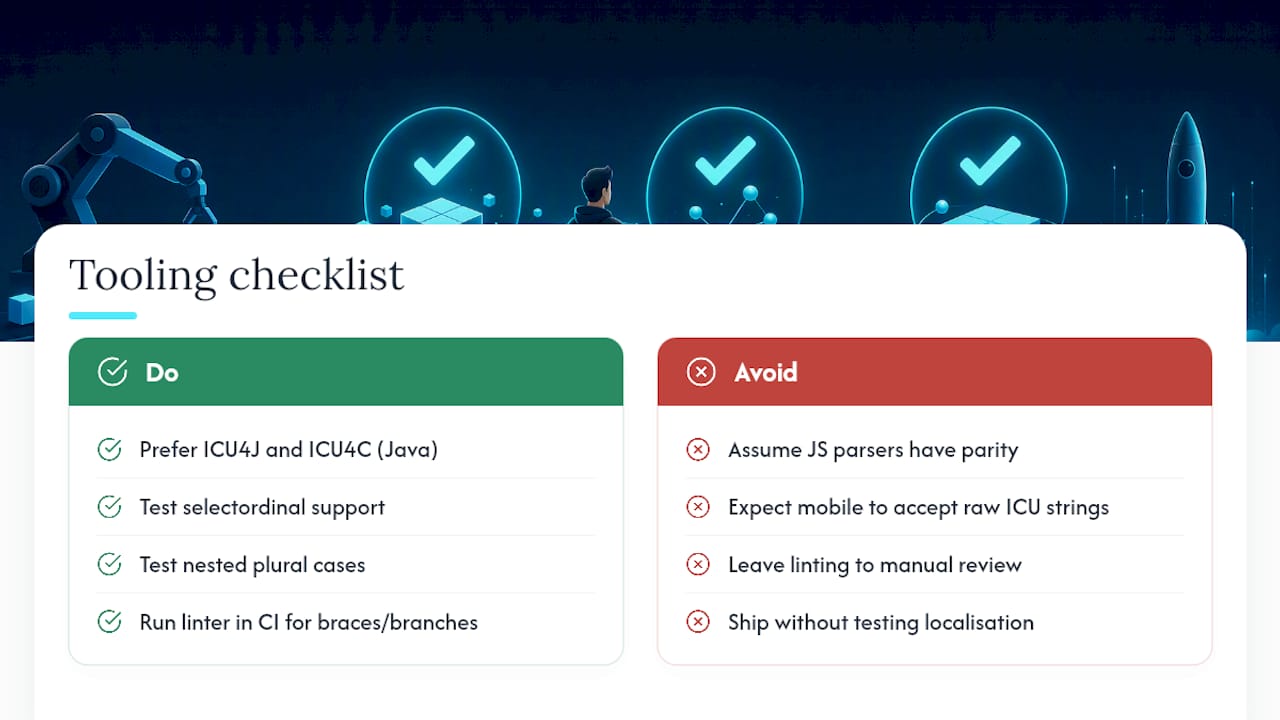
On the Java side, ICU4J and ICU4C are the reference implementations, and both document named versus numbered argument matching along with apostrophe quoting modes you can toggle. In JavaScript, react-intl, intl-messageformat, and messageformat all parse ICU syntax, but feature parity between them isn’t guaranteed. Test selectordinal and nested plural support specifically before committing to one.
Mobile platforms handle plurals through their own systems rather than raw ICU strings: Android uses plurals resources and stringsdict-style category matching, while iOS relies on .stringsdict files. Both map to CLDR categories under the hood, so the concepts transfer even though the file format doesn’t look like ICU syntax on the surface. Arkian’s guide to localizing iOS .strings files covers how that mapping works in practice.
TMS support for ICU is inconsistent industry-wide, particularly for selectordinal and deep nesting. Run a linter that validates brace matching and required other branches as part of your CI pipeline, not as a manual review step.
Production-Ready ICU Message Examples You Can Copy
A social counter with offset, so the current user isn’t double-counted:
{count, plural, offset:1 =0 {Be the first to like this} =1 {You liked this} one {You and one other person liked this} other {You and # other people liked this}}— the offset subtracts the current user before matching, which is exactly the underused technique the Crowdin production guide recommends for “You and N others” patterns.- A gendered activity feed combining select and plural:
{gender, select, female {She} male {He} other {They}} added {count, plural, one {# photo} other {# photos}}. - Currency formatting with a skeleton instead of a hardcoded pattern:
{price, number, ::currency/USD .00}lets the library apply the correct grouping and symbol placement per locale rather than assuming US formatting everywhere.
Before shipping any of these, run three checks: render the message in at least two locales with different plural rules, confirm your TMS extracts every branch as separate translatable text, and add a CI lint rule that catches unbalanced braces or missing other fallbacks.
Arkian’s Approach to ICU Message Production
Handwriting quoting rules and offset logic across dozens of locale files is where most localization pipelines quietly break down. Arkian automates that layer: validation, folder packaging, and TTS-friendly output run against ICU-style message sets without a developer manually checking every apostrophe or brace.
That automation catches quoting and escaping mistakes before they reach a translator, and it produces consistent output structures reviewers can trust across every language pack. The collaboration with the Quiet Harbour app served as a real production test of that pipeline, keeping a localized product experience coherent across multiple languages without a manual TMS handoff.
— Arkian
A Faster Path from ICU Strings to Shipped Languages
Writing correct ICU syntax is only half the job. Turning validated strings into JSON, iOS, Android, and YAML files, plus TTS audio where you need it, for every target language is where small teams lose the most time. Arkian automates that packaging step directly: feed in your source strings and get back structured, delivery-ready language files without repository access or a full TMS setup.

That matters most for small product teams running recurring localization jobs, or anyone who needs multilingual voice output alongside text strings and doesn’t want to stitch together three separate tools to get there. Arkian validates quoting and brace matching automatically, so the pitfalls covered above stop being a manual checklist. Check the Arkian landing page to see if your team’s workflow fits, and get a first localization job packaged in your target formats.
Where to Go Deeper on ICU Syntax
For pattern-level reference, the ICU user guide and API documentation covers every argument type in full. Developers tracking where the standard is headed should read the MessageFormat working group’s syntax spec, which documents the formal grammar behind MessageFormat 2.0. For the plural category rules that drive every plural and selectordinal block, CLDR’s plural rules index is the authoritative source.